SatNav Examples
SatNav includes two runnable navigation examples covering environment setup, episode execution, metrics, and visualization.
Example |
Purpose |
Default output |
|---|---|---|
|
Run one episode with |
Final observation, top-down map, and terminal metrics |
|
Run every episode with greedy waypoint navigation |
Per-episode metrics JSON and optional MP4 videos |
Both examples use the bundled synthetic episodes and CC0 scene. SatNav-v0.1 and satellite scenes are not required.
1. Prepare the environment
Complete Installation, then run from the repository root:
python -m pip install -e .
Install application dependencies to generate MP4 videos:
python -m pip install -e '.[applications]'
The default example resources are:
applications/resources/
├── map.tif
├── satnav_example_episodes.json
└── satnav_example_task.yaml
2. Reference Path Follower
This example loads one episode and follows its recorded reference path. Use it to learn the environment interaction flow and verify path execution.
python examples/reference_follower_example.py
The command prints episode information, action statistics, Success, SPL, Distance to Goal, and Path Length. Images are written to:
output/examples/reference_follower/
├── final_observation_example.png
└── topdown_map_example.png
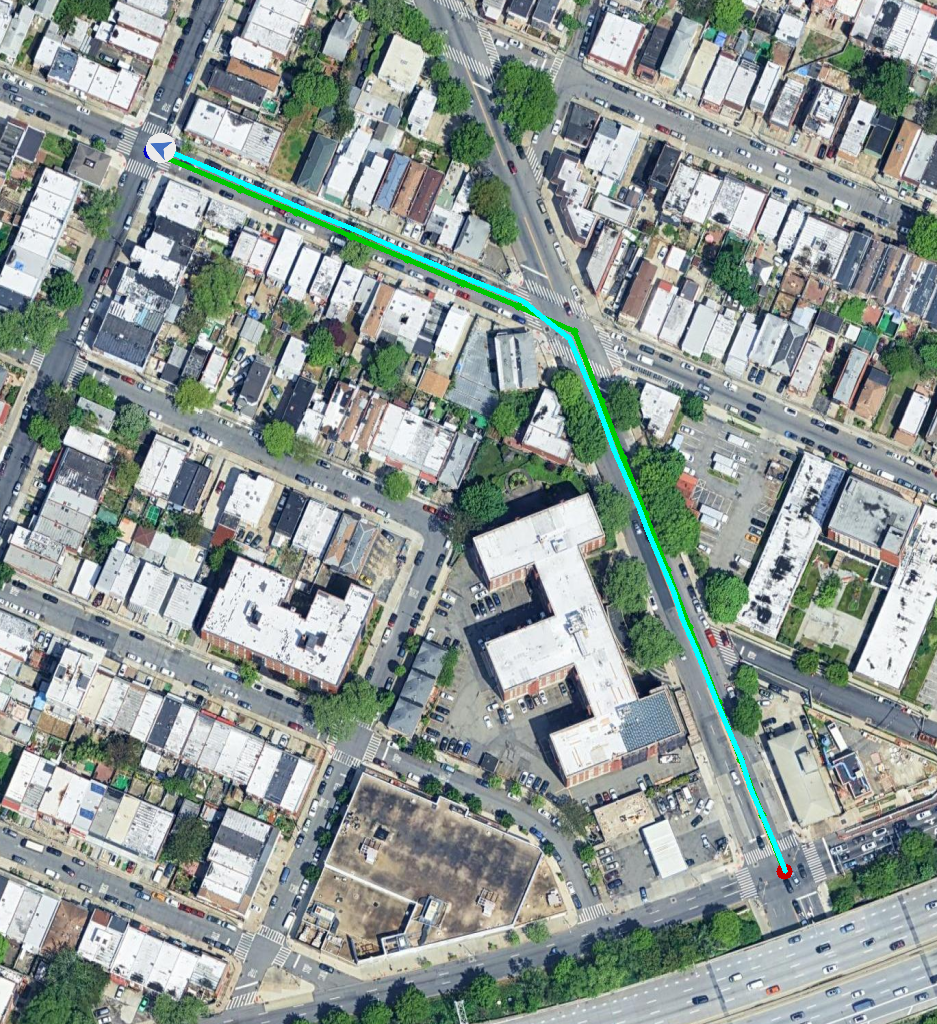
Top-down map produced by Reference Path Follower.
Choose another output directory with:
python examples/reference_follower_example.py \
  --output-dir output/my_reference_example
4. Use a custom configuration
Both examples accept --config:
python examples/reference_follower_example.py \
  --config path/to/task.yaml \
  --output-dir output/reference_follower

python examples/satnav_path_follower_example.py \
  --config path/to/task.yaml \
  --output-dir output/satnav_path_follower \
  --no-video
At minimum, configure:
DATASET.DATA_PATH: episode JSON;DATASET.SCENES_DIR: GeoTIFF directory;TASK.POSSIBLE_ACTIONS: available actions;TASK.SUCCESS_DISTANCE: success radii by trajectory type;SIMULATOR.FORWARD_STEP_SIZEandSIMULATOR.TURN_ANGLE: movement steps.
Verify the bundled example before replacing it with custom episodes and scenes.
5. How the examples differ
ReferencePathFollower receives the full reference path and follows it in one
episode. SatNavPathFollower receives one waypoint at a time, computes actions
from simulator state, and supports multiple episodes, structured metrics, and
video output. Both determine navigation actions from predefined rules and simulator state.